Choosing a keyboard in Singapore begins with a clear understanding of your primary purpose—work, gaming, or ergonomic use. Typists need consistent tactile feedback, while gamers demand fast response and customizability. Casual users look for comfort without distractions.
Office users focus on typing accuracy and wrist support. Professionals in programming or writing often prefer mechanical keyboards for durability and feel. Full-size options with function keys help streamline workflows. Compact keyboards suit minimalist setups.
Gamers often opt for mechanical keyboards that feature high polling rates, RGB lighting, macro support, and anti-ghosting capabilities. Popular gaming layouts include tenkeyless or 60% keyboards, maximising space for mouse movement without compromising essential keys.
Ergonomic-focused buyers prioritise wrist alignment and hand comfort. Split designs, curved layouts, and tented keyboards reduce strain during long sessions. Some even include built-in palm rests and programmable layers to help reduce repetitive stress injuries.
Matching usage style with keyboard features avoids discomfort and improves long-term productivity. Knowing how you’ll use your keyboard in Singapore ensures you won’t overpay for unnecessary features or miss essentials.
Mechanical vs Membrane Keyboards: Know the Difference
Users must understand the difference between mechanical and membrane types when selecting a keyboard in Singapore. These two keyboard types serve vastly different needs.
Mechanical keyboards feature individual switches under each key. These switches offer tactile feedback and faster actuation. Users enjoy consistent keystrokes and audible response, enhancing speed and accuracy. Customisation is also a strong advantage. Users can change keycaps, switches, and backlighting to match preferences.
Membrane keyboards use a rubber dome beneath the keys. Pressing the key collapses the dome, completing the circuit. These keyboards cost less, weigh less, and suit users with limited desk space. However, they wear out faster and offer an inconsistent key feel.
Choosing mechanical or membrane depends on daily use. Gamers and typists usually prefer mechanical switches for performance and precision. Office users and occasional users often stick with membrane models due to affordability.
Knowing this distinction helps narrow down your choices for a keyboard in Singapore that fits your lifestyle and budget.
ALSO READ: The Quintessential Guide to Premier Mechanical Keyboard Shops in Singapore (2025 Updated!)
Keyboard Layouts: Full-Sized, Tenkeyless, and Compact Options
Keyboard layout affects comfort, space usage, and key access. Buyers looking for the right keyboard in Singapore should understand the three main layout categories: full-sized, tenkeyless, and compact.
Full-sized keyboards include 104 or more keys. They feature a numeric keypad, function keys, navigation cluster, and full rows. Office users and data entry professionals rely on them for complete functionality.
Tenkeyless (TKL) layouts remove the numeric keypad. These take up less space, reduce hand travel distance between keyboard and mouse, and support more ergonomic postures. Gamers and users with smaller desks often select TKL keyboards.
Compact layouts, like 60% or 75%, strip away function rows, arrow clusters, or home keys. These ultra-minimal options save desk space and improve portability. They suit minimalist setups and users who rely heavily on shortcuts or layered key functions.
Buyers selecting a keyboard in Singapore should always test the layout comfort, if possible. The wrong layout may slow workflow or cause discomfort over long hours.
Key Switch Types: Tactile, Clicky, or Linear?
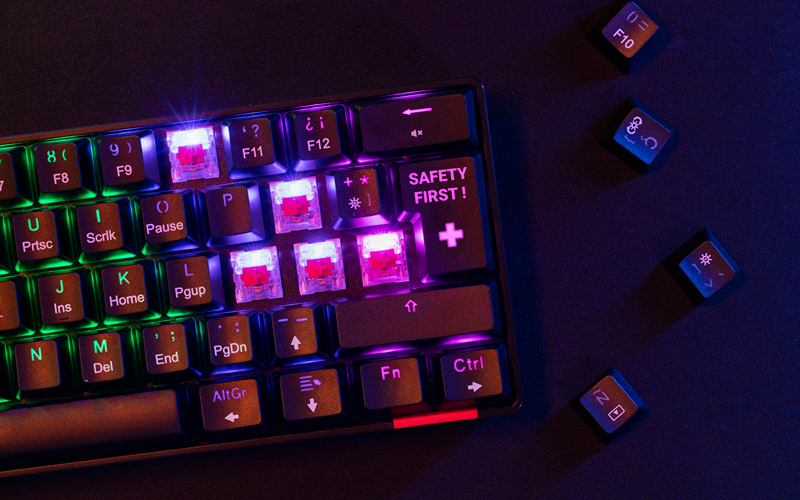
Mechanical keyboards come with switch types that affect feel, sound, and response. Choosing a keyboard in Singapore with the right switch type depends on typing habits and the environment.
Tactile switches produce a noticeable bump halfway through the press. These suit typists rely on physical feedback to improve typing speed and reduce errors. They work well in shared workspaces since they produce minimal noise.
Clicky switches add an audible click on top of the tactile bump. They offer strong feedback and a satisfying sound. However, these switches may disturb coworkers or family members due to their loud nature.
Linear switches move smoothly from top to bottom without feedback, which excel in gaming, allowing faster keypresses without interruption. Users who prefer quiet typing also find them beneficial.
Typing feel should never be underestimated when selecting a keyboard in Singapore. Testing key switches before buying helps avoid discomfort or regret.
Wired vs Wireless Keyboard in Singapore: Pros and Cons
Choosing between wired and wireless models affects connectivity, responsiveness, and convenience. Each option suits different setups and preferences.
Wired keyboards connect directly via USB, ensuring low latency and uninterrupted power. Gamers and professionals working with high-speed input benefit most from wired keyboards. They offer stability and require no battery management.
Wireless keyboards offer clutter-free desks and increased mobility since they are connected via Bluetooth or USB receivers. These keyboards suit clean aesthetics and users switching between devices. However, they require batteries or regular charging. Some users may also experience a slight input delay with cheaper models.
Selecting a wired or wireless keyboard in Singapore should match your work environment and daily routines. Those on the go or prioritising neatness lean toward wireless. Performance-heavy users or those working with sensitive data usually choose wired for reliability.
Ergonomics and Comfort: Prioritising Your Hands
Spending hours at a desk can strain wrists, hands, and shoulders. That’s why ergonomics matters. Selecting a keyboard in Singapore without considering ergonomics leads to long-term discomfort or repetitive stress injuries.
Ergonomic keyboards feature split designs, curved key layouts, or negative tilt angles to reduce unnatural wrist movement. Some models include integrated wrist rests, offering extra support and reducing muscle tension. Others tilt outward in a tented shape, promoting a more neutral posture.
For users dealing with wrist pain or stiffness, switching to an ergonomic keyboard can provide noticeable relief. It allows the hands to rest at a more natural angle while typing. Even users without physical discomfort benefit from better posture and relaxed hand positioning.
Before committing to an ergonomic keyboard in Singapore, testing the layout helps. Some split designs take getting used to, especially for users coming from traditional formats. But once adapted, typing becomes smoother and more comfortable over time.
Keycap Material and Profile: Not Just About Looks
Most buyers focus on switches and layout, overlooking one detail that shapes the typing experience, which is keycaps. The material, shape, and texture of keycaps influence comfort, noise, and longevity.
Two main materials dominate the market: ABS (Acrylonitrile Butadiene Styrene) and PBT (Polybutylene Terephthalate). ABS keycaps feel smooth but wear out faster. They develop a shiny finish and tend to absorb oils. PBT keycaps resist wear and maintain their texture longer, offering a more durable solution for frequent users.
Profile matters too. Some keyboards feature sculpted profiles with varied key heights for ergonomic typing. Others come in uniform profiles, common in minimalist or gaming setups. The choice between flat and sculpted layouts depends on finger reach and hand position.
Texture also varies. Matte surfaces offer better grip, while glossy finishes feel slippery. Typing style, hand moisture, and work environment all factor into which texture performs best.
Exploring keycap features helps enhance your experience with a keyboard in Singapore, especially if you spend hours typing each day.
RGB Lighting and Backlit Features: More Than Aesthetic Appeal
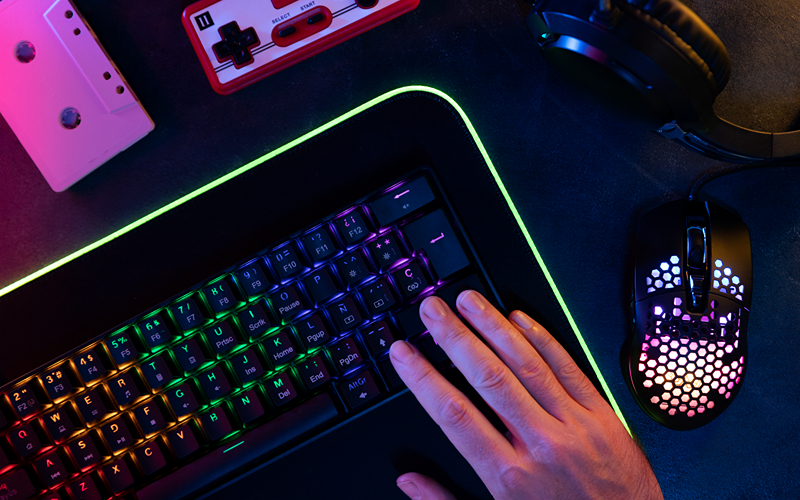
Keyboard lighting started as a visual novelty, but it has since evolved into a functional feature, especially for gamers and late-night users. Whether working in dim conditions or building a mood-centric setup, lighting improves usability and experience.
Basic backlit models feature single-colour lighting. These suit users need keys visible in low light without distraction. White backlight complements professional setups, maintaining a clean, unobtrusive look.
RGB lighting adds programmable effects, dynamic colour shifts, and per-key customisation. Many gaming keyboards in Singapore include software support to sync lighting with in-game actions, music, or system alerts.
Productivity-focused users also benefit. Some platforms let users assign colour zones for shortcut keys, making multitasking more efficient. For example, marketing teams may highlight function keys while data analysts mark number rows for visibility.
Although lighting increases cost slightly, the added visibility and customisation enhance your interaction with a keyboard in Singapore. It’s a practical upgrade for many environments that goes beyond eyecandy.
Software Compatibility and Macros: Work Smarter
Smart keyboard features extend beyond hardware. Software compatibility and programmable macros streamline repetitive tasks and unlock new levels of control.
Keyboards with macro support allow users to record keystroke sequences and assign them to a single key. For gamers, this means performing combo moves faster. Professionals can automate spreadsheet formulas, email responses, or shortcut-heavy workflows.
Some platforms integrate with operating systems for enhanced compatibility. Users running macOS, Windows, or Linux should confirm that the software supports their devices. Certain keyboards in Singapore even allow profile switching, which is useful for sharing devices or managing different work modes.
Cloud sync lets you retain settings across multiple devices, ideal for hybrid workers. Profiles travel with you, allowing consistent key mapping and lighting on any compatible setup.
Choosing a keyboard in Singapore with dependable software support opens up possibilities beyond basic typing. It reduces fatigue, boosts productivity, and improves the overall user experience.
Noise Levels: Consider Your Surroundings
Keyboard sound affects more than personal preference. It can disrupt colleagues, housemates, or even your own concentration. Before buying a keyboard in Singapore, evaluate your working or gaming environment.
Mechanical switches vary in sound output. Clicky switches create loud, tactile feedback that some users find satisfying. However, they may prove disruptive in shared offices or during calls. Tactile switches offer a quieter middle ground without sacrificing feedback. Linear switches provide silent, smooth strokes ideal for late-night sessions or shared rooms.
Membrane keyboards typically produce less noise, although key feel may suffer. Users seeking quiet operation often prefer scissor-switch or low-profile mechanical keyboards, offering a balance between silence and performance.
Some models include sound-dampening features, such as silicone O-rings or built-in foam layers. These reduce keystroke noise and deliver a softer landing feel.
Matching sound output to your environment ensures smooth integration of your keyboard in a Singapore setup without disturbing others.
Connectivity and Device Pairing: Going Beyond USB
Modern workstations involve more than a single device. Laptops, tablets, desktops, and mobile devices all play a role. Selecting a keyboard in Singapore with flexible connectivity improves workflow and convenience.
Bluetooth keyboards support wireless pairing with multiple devices. Some models let users switch between connected devices using shortcut keys. This feature suits users who manage tablets, phones, or laptops in one session.
USB wireless dongles offer plug-and-play speed with lower latency than Bluetooth. Gamers and power users often prefer this option for stable and fast input.
Wired keyboards remain the default choice for users who don’t want to worry about battery life or connectivity drops. They offer unmatched reliability and minimal setup time.
Hybrid models support both wired and wireless modes, offering flexibility for different use cases. Users can plug in during long work sessions and switch to wireless during presentations or remote control tasks.
Choosing the right connectivity format for your keyboard in Singapore ensures smooth operation across every platform in your setup.
Budget vs Premium: What Are You Really Paying For?
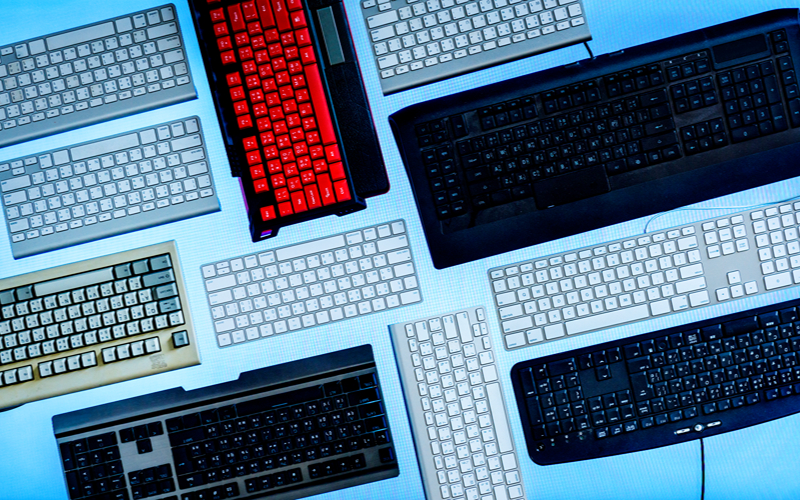
The price range for keyboards in Singapore varies greatly, from affordable entry-level models to high-end mechanical builds. Knowing what you’re paying for helps you decide whether a keyboard meets your needs or adds bells and whistles.
Entry-level options often use membrane switches and plastic cases, which deliver basic functionality and are suitable for light tasks or occasional use. These keyboards work well for students or users with temporary setups.
Mid-range models bring mechanical switches, RGB lighting, and better build quality. They suit full-time remote workers, gamers, and creative professionals, offering better durability, meaning fewer replacements down the line.
Premium keyboards go further with advanced ergonomics, high-grade materials like aluminium or PBT, customisable firmware, hot-swappable switches, and low-latency wireless support. Many premium users value the tactile typing experience and long-term comfort.
Understanding your actual needs ensures you won’t overspend or compromise. Buyers investing in a keyboard in Singapore must focus on features they’ll use every day and not just what sounds appealing.
Maintenance and Lifespan: Keeping Your Keyboard Clean
A keyboard can last for years if properly maintained. Regular upkeep not only extends lifespan but also preserves performance and hygiene. This is especially vital for users in dusty environments or shared spaces.
Mechanical keyboards allow users to remove keycaps for cleaning. Compressed air clears debris between switches. Soft brushes and microfiber cloths help remove grime from surface areas.
Membrane keyboards trap more dirt under sealed layers, making them harder to clean. Still, wiping down the surface regularly and avoiding eating over the keyboard helps keep it sanitary.
Spill resistance also matters. Some keyboards in Singapore feature drain holes or water-resistant coatings, protecting them from accidental splashes.
Keyboard lifespan depends on switch quality, too. Mechanical models last between 50 and 100 million keystrokes, while membrane types wear down faster. Understanding this metric helps in evaluating the total cost of ownership over time.
Spending a few minutes on weekly maintenance helps preserve the performance of any keyboard in Singapore for years.
Try Before You Buy: Experience Matters
Keyboard preference is highly personal. No amount of specs or reviews replaces firsthand experience. Visiting a store to try different keyboards gives valuable insight into typing feel, sound, and comfort.
Some stores in Singapore offer display units for hands-on testing. Typing a few lines helps gauge key response, hand fatigue, and layout fit. Even similar models with different switches can feel entirely different.
Users shopping online should read reviews from trusted sources or watch demonstration videos. Comparing specs across retailers also helps spot differences in warranty coverage, return policies, and included accessories.
Testing before purchase ensures that a keyboard fits your hand size, wrist posture, and visual preferences. It also eliminates surprises like overly loud keys or awkward key spacing.
Investing time in physical testing helps prevent buying a keyboard in Singapore that doesn’t meet your expectations.
Tailoring Your Keyboard in Singapore to Your Profession
Different professions call for different tools. The ideal keyboard in Singapore depends heavily on how users spend their time at the desk. A one-size-fits-all model rarely delivers optimal performance across varied work demands.
Writers, editors, and coders type thousands of words daily. They benefit most from tactile switches that offer feedback without producing too much noise. Tenkeyless layouts free up desk space and promote a natural typing posture. Durability matters; high keystroke ratings ensure the keyboard holds up over years of intensive use.
Designers, video editors, and creative professionals rely on programmable keys, shortcut support, and seamless software integration. Keyboards with custom macros allow one-tap execution of complex commands. Models with colour-zoned backlighting also help distinguish tool-specific key groups.
Finance professionals, data analysts, and administrators often need full-sized keyboards. The number pad plays a central role in spreadsheet management and accounting software. Clear legends, fast input response, and comfortable key spacing support long hours of repetitive entry work.
Choosing a keyboard in Singapore that aligns with your profession not only streamlines your workflow; it enhances overall comfort and efficiency without requiring software workarounds or constant adjustments.
Gaming Setups: Performance and Aesthetics Combined
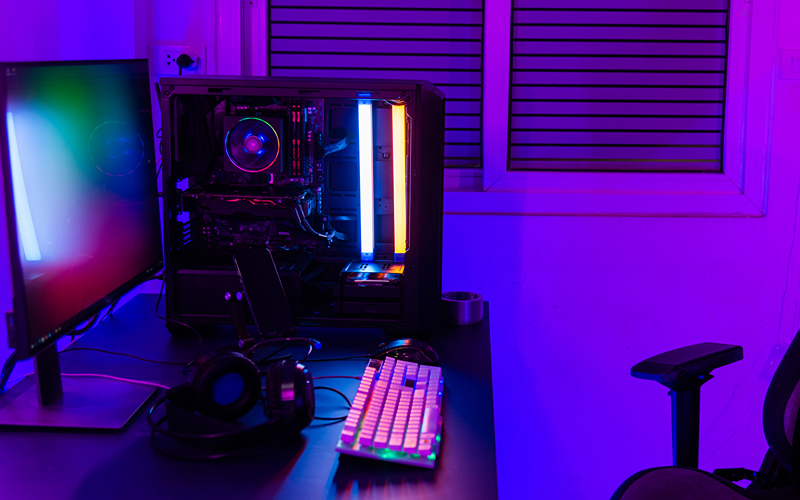
Gamers demand more than quick reactions; they want immersive setups that support both form and function. The right gaming keyboard in Singapore balances aesthetics, tactile satisfaction, and competitive advantage.
Mechanical switches dominate gaming setups. Linear red switches remain popular for fast-paced genres like FPS or action games due to their smooth keystrokes and minimal actuation force. Tactile switches appeal to strategy gamers who prefer distinct feedback when issuing commands.
Key rollover and anti-ghosting features ensure that every press registers, no matter how frantic the moment. RGB lighting adds visual flair while helping highlight keys tied to game-specific functions. Some models even sync with in-game effects, boosting immersion.
Gamers often pair their keyboard with programmable software that supports profile switching, macros, and real-time adjustments. Being able to adapt key layout or lighting for each title enhances the experience without disrupting gameplay.
Investing in a high-quality gaming keyboard in Singapore provides more than visuals. It ensures responsiveness, consistency, and adaptability in any scenario, from casual matches to competitive tournaments.
Remote Work Considerations: Portability, Silence, and Compatibility
As hybrid setups continue to evolve, remote workers now consider features that once felt secondary. Portability, wireless stability, and multi-device pairing now influence many decisions when selecting a keyboard in Singapore.
Quiet keys help reduce background noise during virtual meetings. Slim, low-profile models with scissor switches or silent mechanical switches reduce audible disruption while maintaining a professional typing experience.
Battery life plays a huge role. Keyboards supporting rechargeable batteries or long-lasting cell options minimise downtime. Multi-device support allows seamless switching between a work laptop, mobile device, and personal tablet using shortcut keys.
Those working from cafés or shared spaces often prefer compact models with built-in cases or foldable designs. These options fit easily into backpacks without adding bulk. Despite their size, many still offer essential shortcuts and basic navigation controls.
Remote users shopping for a keyboard in Singapore prioritise comfort, silence, and adaptability. Picking the right model ensures efficient multitasking and smooth performance, no matter where the workday unfolds.
Special Features That Add Daily Value
Some features seem minor at first glance but quickly become essential once integrated into daily routines. Buyers exploring a keyboard in Singapore should pay attention to thoughtful extras that improve convenience and reduce friction.
Dedicated media keys simplify volume control, play/pause actions, and screen brightness adjustments. These controls prove useful during presentations, video calls, or music playback.
Adjustable feet let users fine-tune typing angles for wrist comfort. Flip-out risers offer a modest incline, while multi-level feet provide even more personalised positioning.
Onboard memory allows users to store profiles directly on the keyboard. Settings stay intact even when switching devices or operating systems, which is useful for professionals and gamers on the go.
Cable routing features help declutter desks, guiding wires cleanly to reduce tangling. Keyboards with detachable USB-C cables offer easy portability and quick replacements if cords wear out.
Including these functional upgrades turns a regular keyboard in Singapore into a versatile daily companion—making life simpler, faster, and more efficient.
Final Thoughts: Making a Smart Purchase Decision
Making the right purchase isn’t just about features—it’s about how well the keyboard supports your routine. Users should first define what matters most: typing feel, layout, durability, portability, or advanced customisation.
Try before buying whenever possible. Typing on different switches or layouts helps determine if a keyboard fits your natural rhythm. If visiting stores isn’t feasible, watch comparison videos or read hands-on reviews to get a better sense of key feel and performance.
Users should also factor in long-term use. Spending slightly more on a durable, ergonomic, or multi-functional keyboard in Singapore pays off through years of comfort, productivity, and fewer replacements.
Resist the urge to overpay for flashy specs you’ll rarely use. Focus instead on practical benefits—features you engage with every day. Whether you’re coding through the night, gaming across multiple screens, or managing budgets from home, the right keyboard will complement your pace and preferences.
Looking for tips that make your digital lifestyle smoother, smarter, and more satisfying? Visit Best Picks for more expert guidance on health, education, travel, lifestyle, and technology essentials, everything you need to elevate your everyday decisions.